grwm
Product Design · Development
Idea
GRWM by Kate Noir started as a personal test: could a designer use automation to build a complete product alone?
The concept is built on my passion for style and fashion. Dressing generally comes down to three pillars:
- what's the weather
- where you're going
- who's going to be there
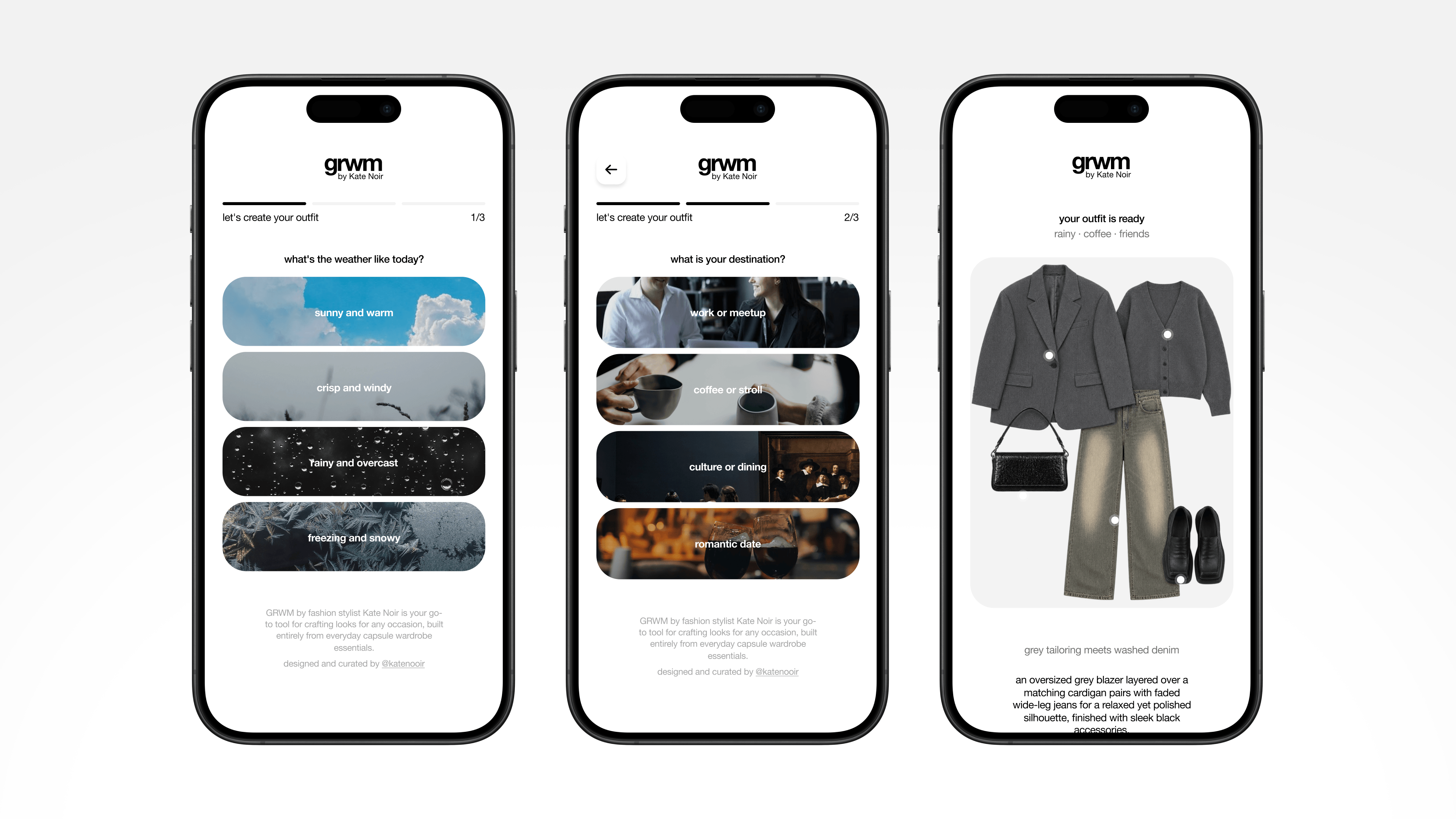
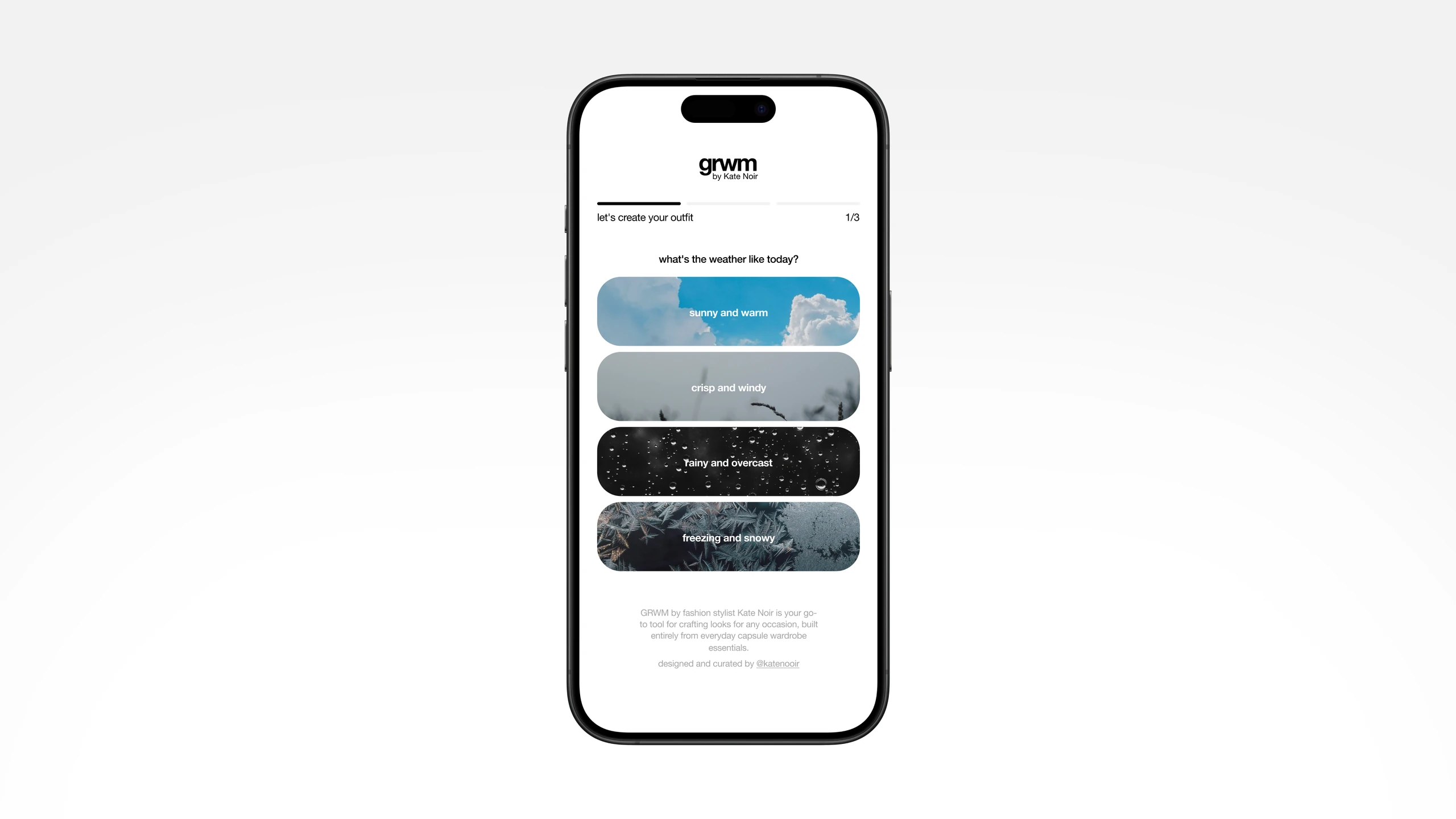
I wanted to give people a tool for getting the right outfit for the right occasion, and that's how the outfit-advice quiz idea appeared. The user selects {weather}, {occasion}, and {company}, and receives a styling recommendation.
For the first release, the goal was to prove the concept with one fixed look per combination.
Insights
AI-first
The app was designed and built using AI automation: Figma Make for scaffolding, Claude API for logic
5 days
From idea to published product
$40
Spent on Claude and Figma Make to run the app
Process
As mentioned, the goal was to prove full automation of the design and development process using AI capabilities. My primary tool was Figma Make, which scaffolded and built the app on a Vite + React stack. I started with a simple prompt and one reference image from Pinterest to build the app in Figma, but wasn't happy with the UI it produced. I went back to my original method and designed two screen mockups in Figma, one template for the questions and one for the result screen, then pasted them directly into Figma Make, which reads exact-sized mockups more precisely than a text prompt alone.
Once the UI was done, I moved to the app's logic. My initial idea was to generate a separate item for each look, but that was too complex for an MVP, so I pivoted to 64 pre-made flat-lay looks, one for every {weather} × {occasion} × {company} combination.
From there, the challenge was assigning each look to its result string. With 3 questions and 4 answers each, the combinations resulted in 64 unique result strings, each needing storage in a table. This is where I started consulting with Claude, which helped me build the back-end pipeline: using Claude, I prompted Figma to create a SQL table and connect it to Supabase. The integration is built into Figma, so connecting it and running the SQL commands was straightforward.
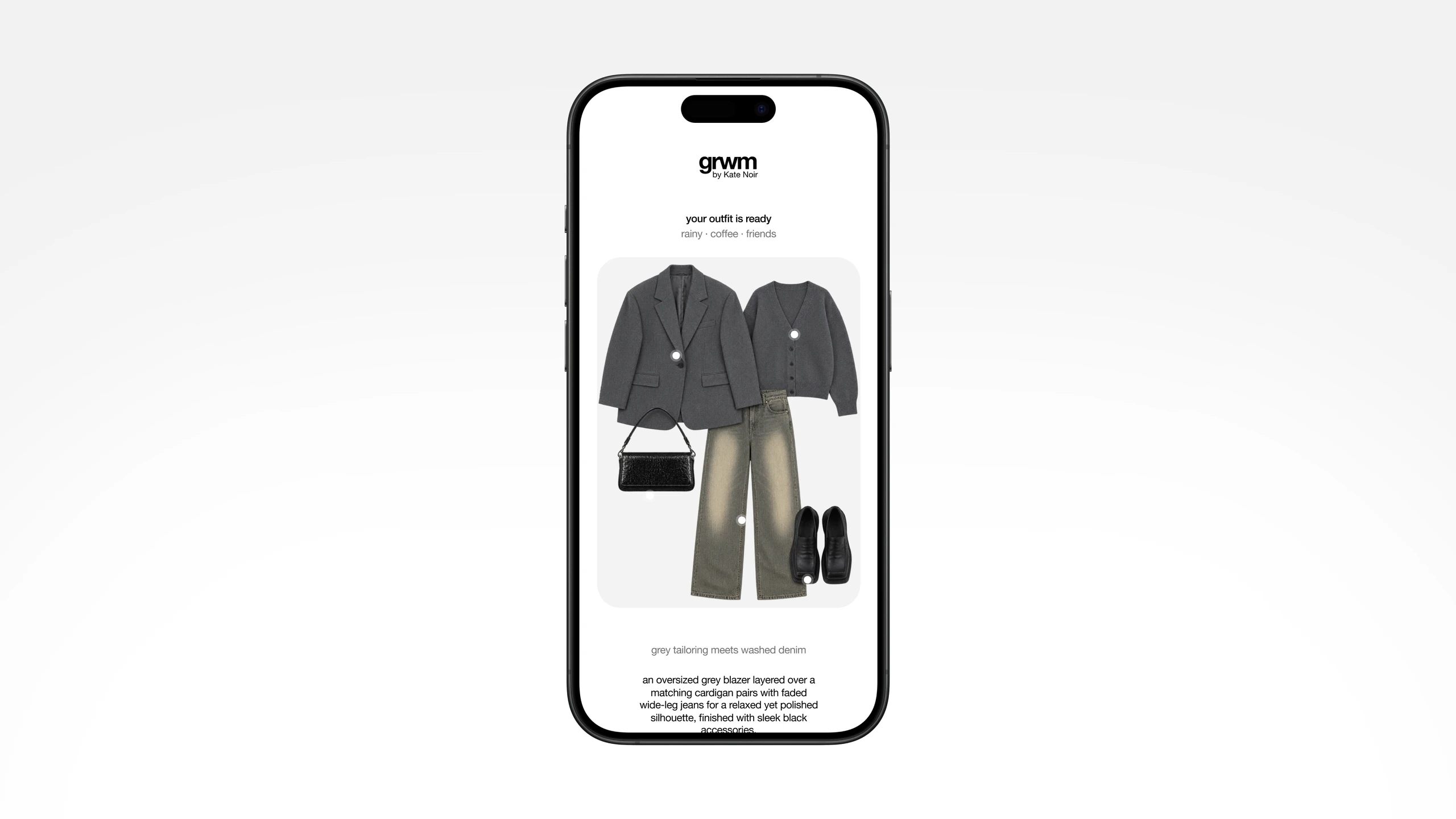
Once the looks were uploaded to the Supabase table, I needed tooltips and descriptions for each one. To keep the process automated, I didn't want to hand-write descriptions for 64 looks, so I built this pipeline: the first time a look's image loads on the result page, a Claude API image-analysis function runs, generating a description and tooltips for each item in the flat lay. The same analysis maps the position of each item and generates coordinates for its tooltip (dot). The results are then sent to Supabase and stored in the table.
This pipeline works for two reasons:
- If I change a look later, I don't need to re-analyze the image or regenerate its description and tooltip coordinates.
- It runs only once per look, so I'm not paying for repeated API calls.
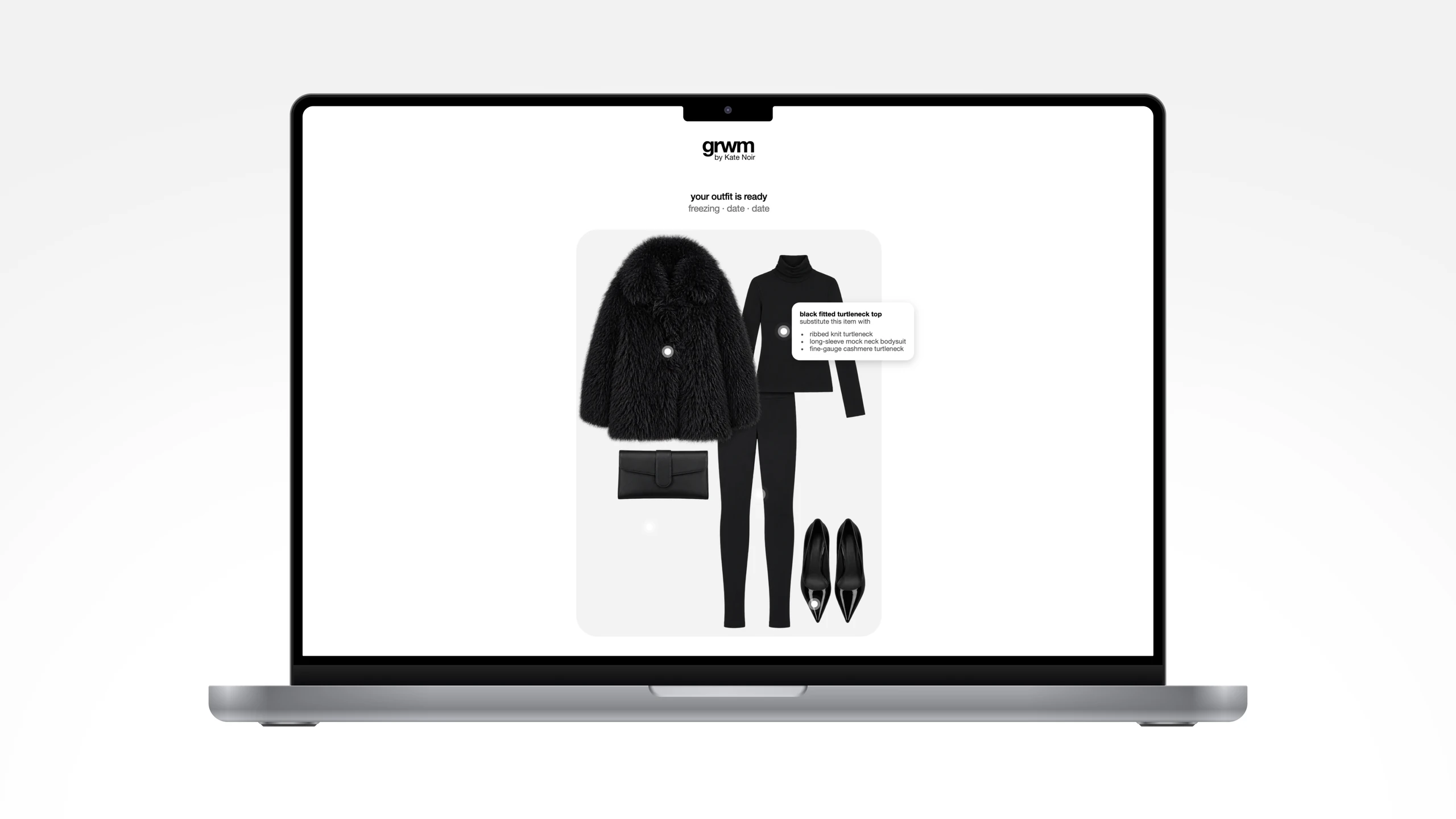
Looks Generation
I could have automated look generation entirely through the API, but I didn't want generic results, so this was the second point where human input was needed. I collected around 150 trending looks from Pinterest as references.
AI product manager Denys Bendovskiy helped build the image-generation pipeline, which ran across three models with three distinct prompts:
- Claude acted as the orchestrator across the pipeline, briefing
Grokto write the batch script, and doing a final review pass to catch and fix sorting errors Grokwrote thebashscript that ran the generation batch, then filtered out images that failed quality control and named the rest against the project glossaryGPT-2.5generated 300+ flat-lay images from the reference looks I provided
So: specs from Claude, generation from GPT-2.5, sorting from Grok, with Claude doing final QA. Three models, three prompts, two humans directing the pipeline.
Once the 64 final image files were ready, I uploaded them to Supabase. A dedicated function was set up to preload all image descriptions on upload, so users never wait on generation at result time.
Outcome
GRWM launched in September 2026. It proved that a designer can build a working, scalable app solo.
The first testers (my friends) responded positively. They asked for more variety, since each combination currently returns one fixed look. That feedback points to the next iteration: generating a unique image per result rather than one fixed look per combination.
Insights
2
AI services: Figma Make and Cursor
3
AI models: Claude Fable 5.1, GPT-2.5, Grok 4.6
2
Humans orchestrating the AI pipelines
Process in short
- UI and app logic were vibe-coded on Figma Make's default model, on a
Vite+Reactstack - Claude enhanced prompts to streamline the process between me and Figma
Supabasewas connected to the Figma project files as the database- Figma created the
SQLtable, and later a function for generating text - A pipeline was built to generate and sort images for the result page, processed in parallel rather than blocking on results
GPT-2.5generated flat-lay images from the reference photo looks- Claude (
Fable 5.1) sorted and assigned filenames by parameter, matching them to the table schema Claude APIvisually analyzed each image, generating tooltip coordinates and descriptions once per result
Where human input was needed
- Designing the app's logic (3 questions, 4 answers, 64 final looks)
- Sourcing trending 2026 looks as references