Fingerprint
Product Design
About
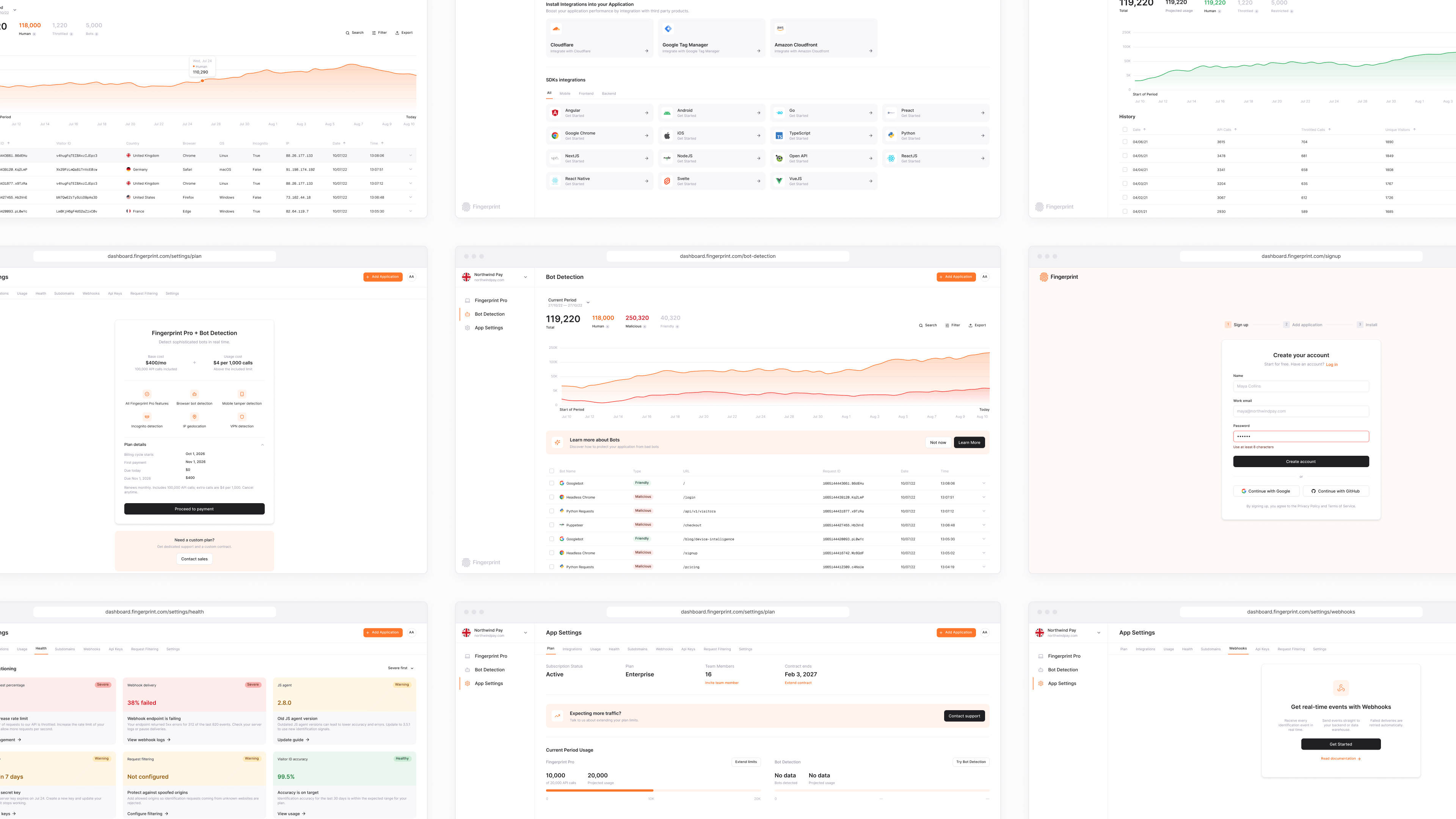
Fingerprint Inc. is a global B2B SaaS platform for device intelligence and fraud prevention, using 100+ signals to identify unique visitors reliably. I joined in 2021 as the first designer, building the product's visual foundation before moving into product design as the team grew.
Information Architecture
Problem & Outcome
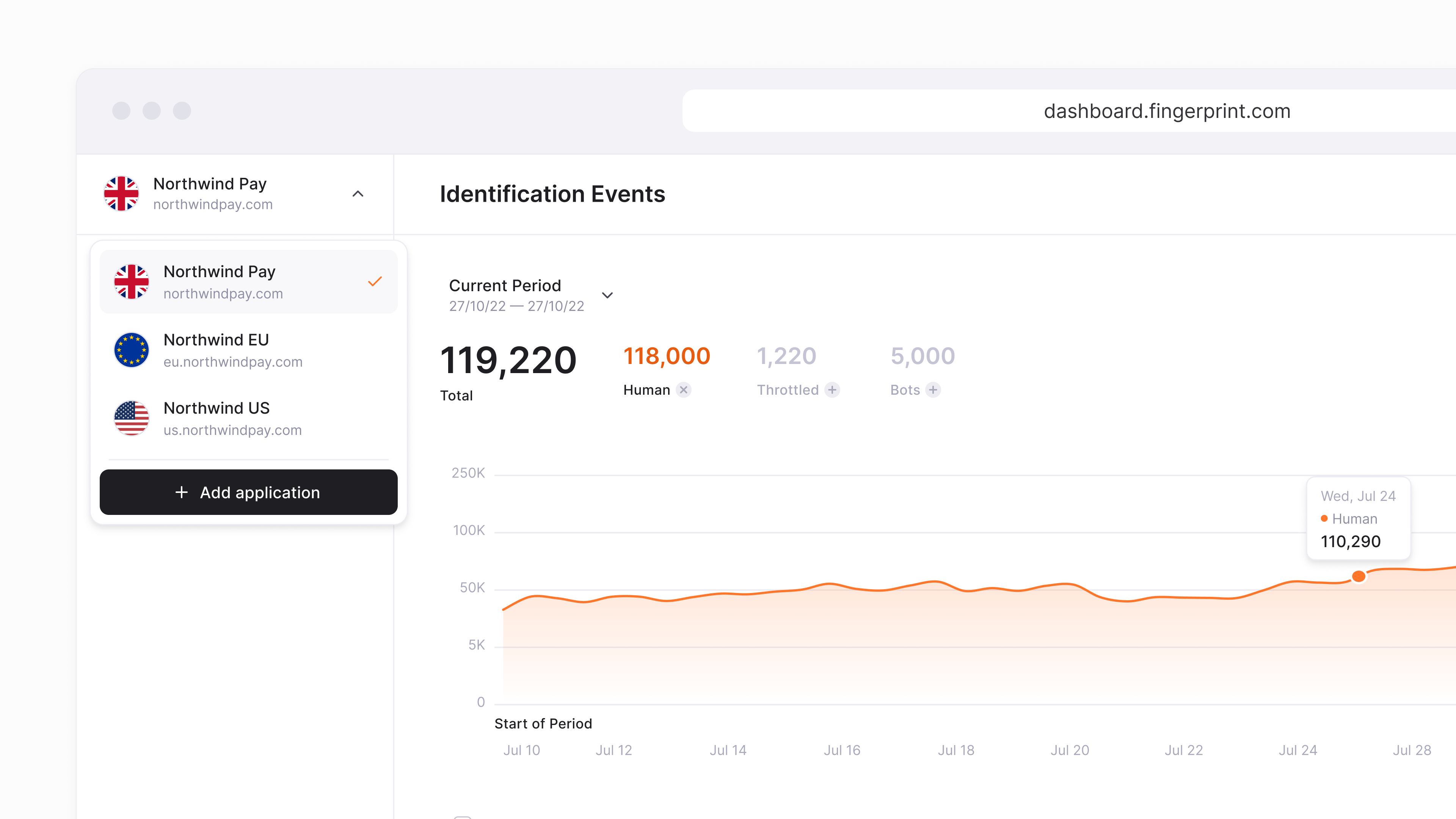
Research showed customers were contacting support instead of finding things themselves. Navigation wasn't straightforward: users with several environments had to go back and forth to switch between them, and settings were hard to find. We redesigned the information architecture to make the product easier to navigate on its own.
Insights
4 in 5
Developers now successfully complete creating a new environment or workspace on their first attempt
1.3x
More active teams returning to the product dashboard within their first week post-installation
150
Fewer setup-related support tickets opened per month, saving roughly 20 engineering hours weekly
Constraints
Team size and legacy structure meant we couldn't rebuild everything at once. Users were also used to the old structure.
Decision
Changed navigation and grouping first, then moved deeper pages in phases: new architecture in phase one, updated visual system in phase two. Kept the most-used items in place, added a short "what's new" tour, and rolled out gradually.
Process
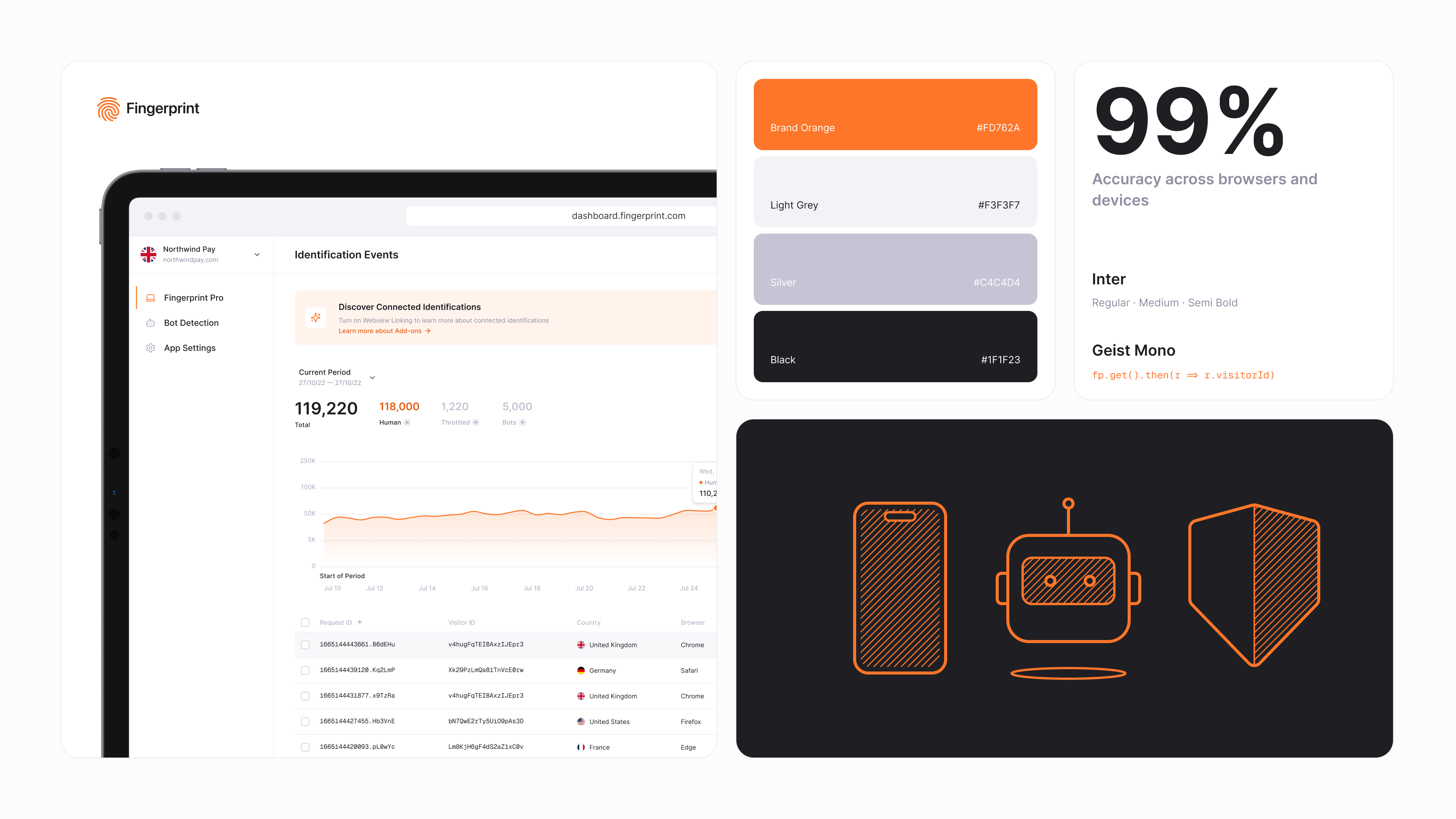
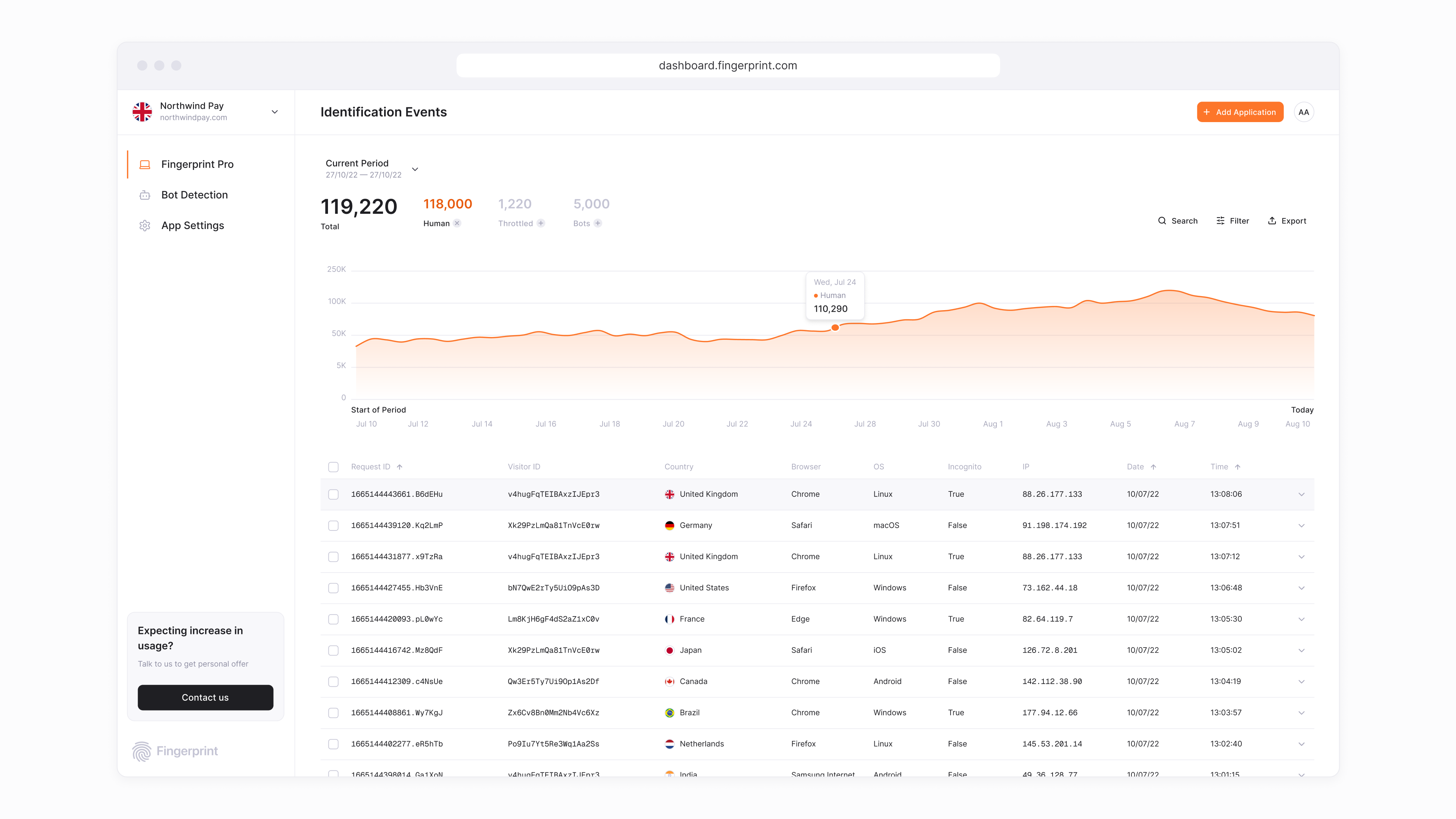
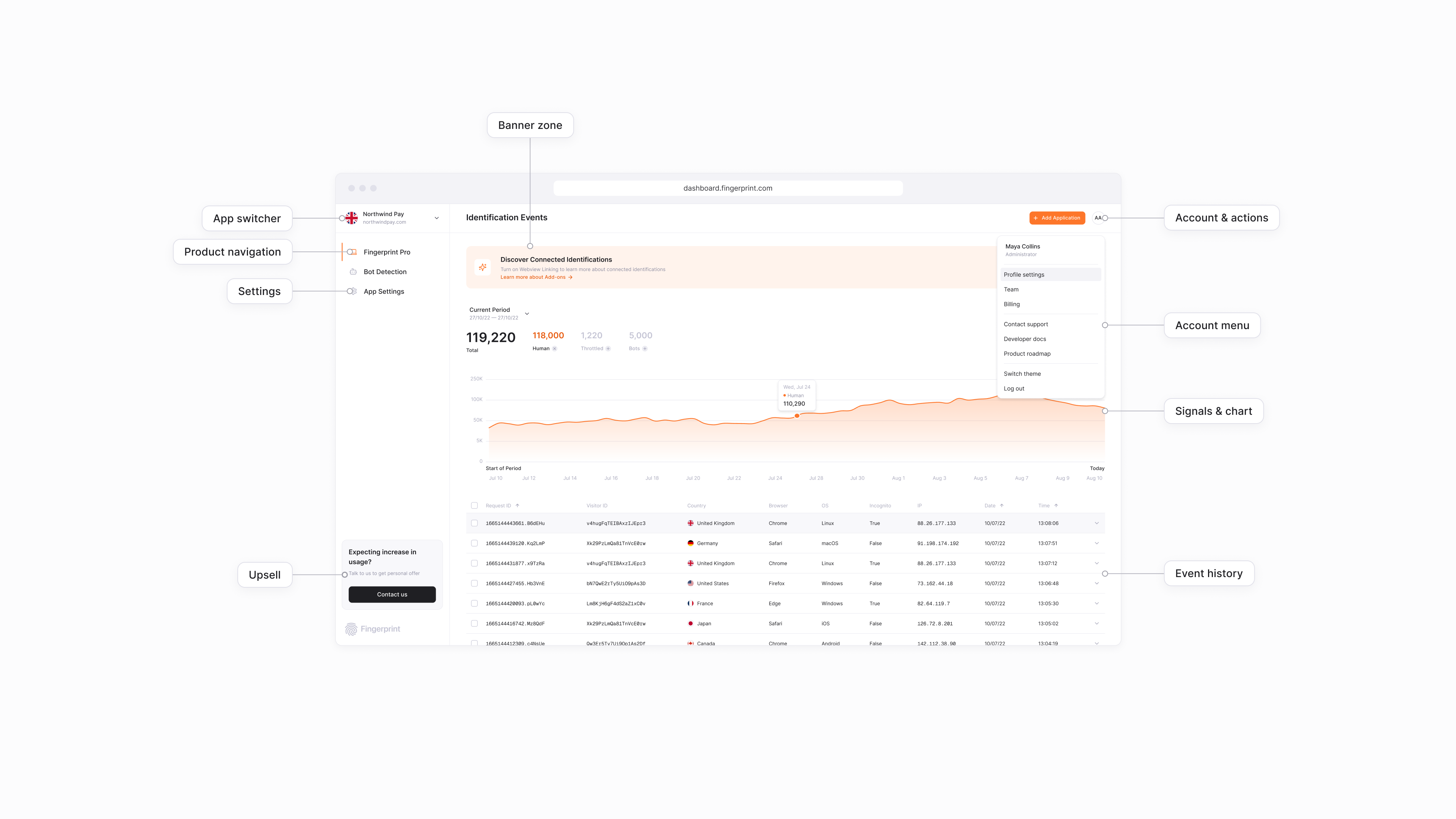
Worked closely with engineers. I proposed and led the IA redesign to straighten out navigation. A sidebar was introduced, following industry best practice: only product links stayed in the sidebar, while account management and settings moved to the top right of the header. The bottom of the sidebar was reserved for an upsell banner, and the center remained the main content zone.
Fingerprint Pro, the flagship product, remained the primary landing section after onboarding, showing all signal information for the current period plus details on each individual signal. The top of the main content zone was reserved for upsell and warning banners. Settings also got its own tab structure, to navigate between plan, user settings, app setup, and more.
Growth
Problem & Outcome
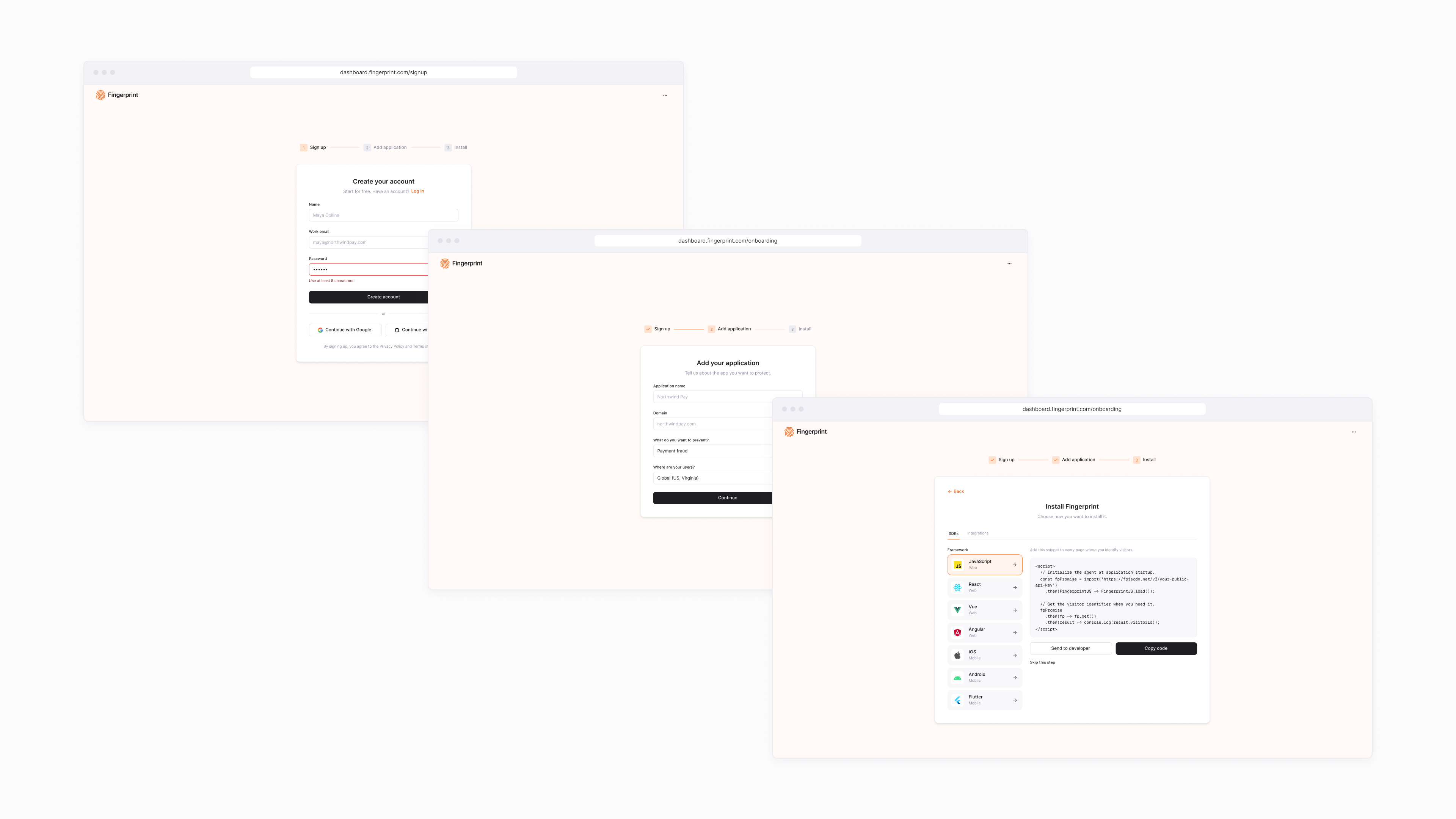
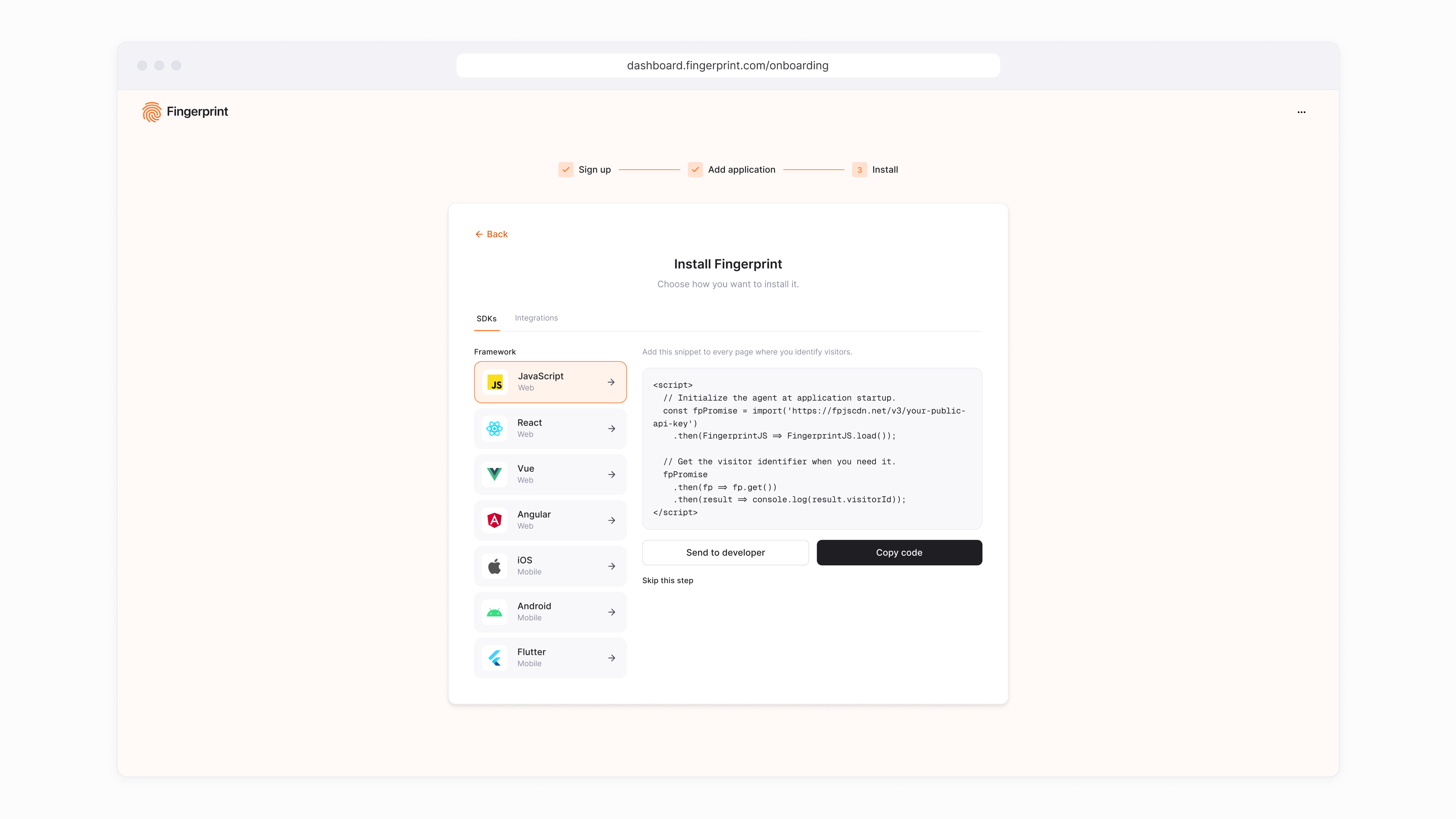
Tests showed customers couldn't see the dashboard until the code was installed, and drop-off was high before they reached that point. We redesigned the onboarding flow so users could install the product efficiently and see it working with less friction.
Insights
2 min faster
Time from registration to seeing live visitor data
+30%
New accounts successfully reaching production setup
50% reduction
Inbound technical support tickets during installation
Constraints
Setup happens outside the product, in the terminal or IDE. Engineering capacity was limited, so a full rebuild wasn't an option.
Decision
Added a live "waiting for first event" check in the UI so users could see when installation worked. Reused existing components and shipped the flow in phases, starting with the step with the highest drop-off.
Plan Management
Problem & Outcome
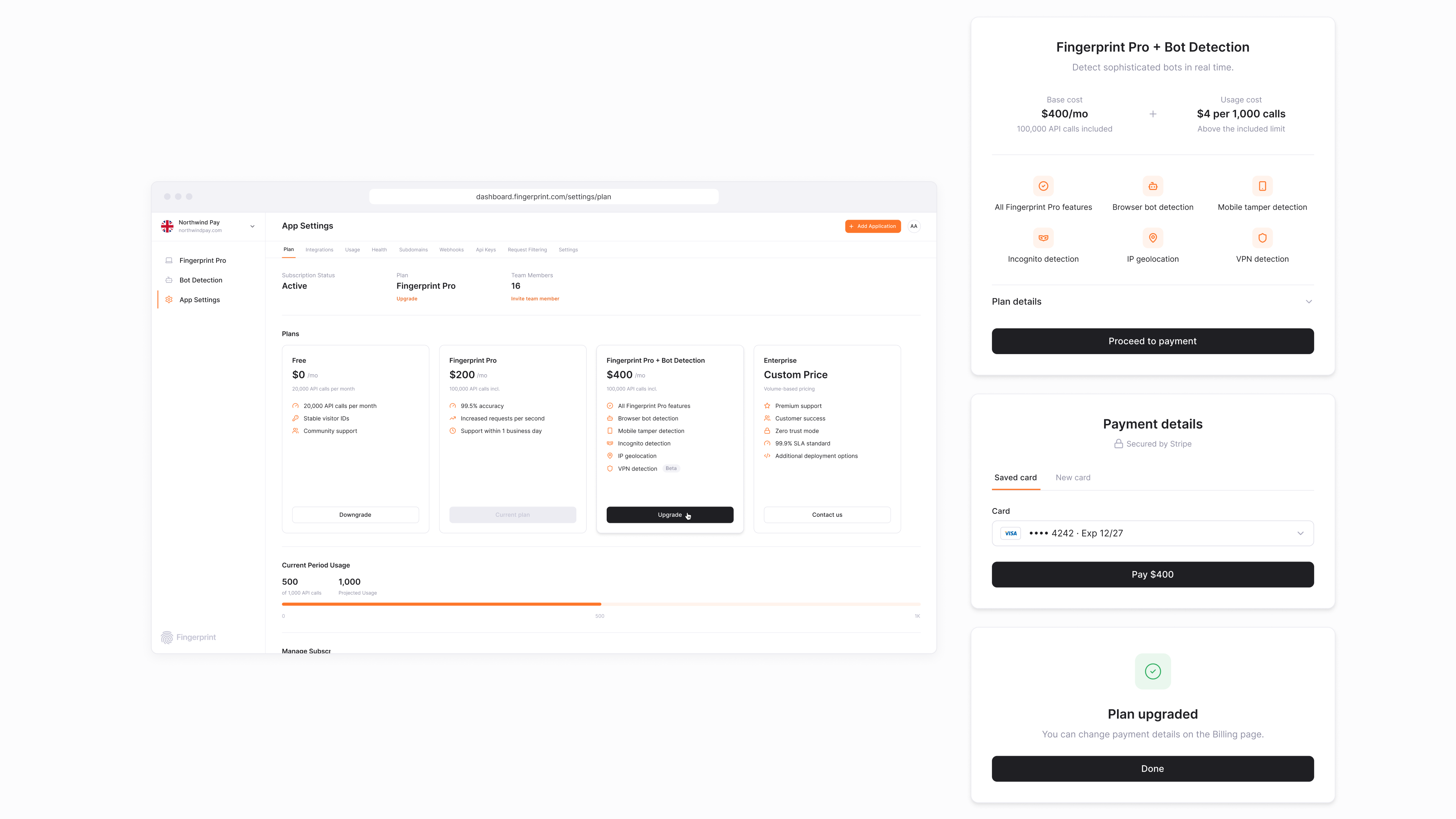
Research showed self-serve customers rarely upgraded to paid plans. They didn't see the value in upgrading, and managing subscriptions was hard. After introducing plan management with several tiers and a downgrade flow, we saw a significant increase in self-serve paid subscriptions.
Insights
+24%
Upgrade conversion rate across free accounts
1.15x
Monthly recurring revenue expansion
18% lower
Subscription churn rate post-launch
Constraints
Couldn't hide essential product functionality. Pricing plans changed often and were hard to compare. Users feared surprise charges when changing plans. Cancellation is a revenue risk, but hiding it hurts trust. Enterprise customers have custom contracts.
Decision
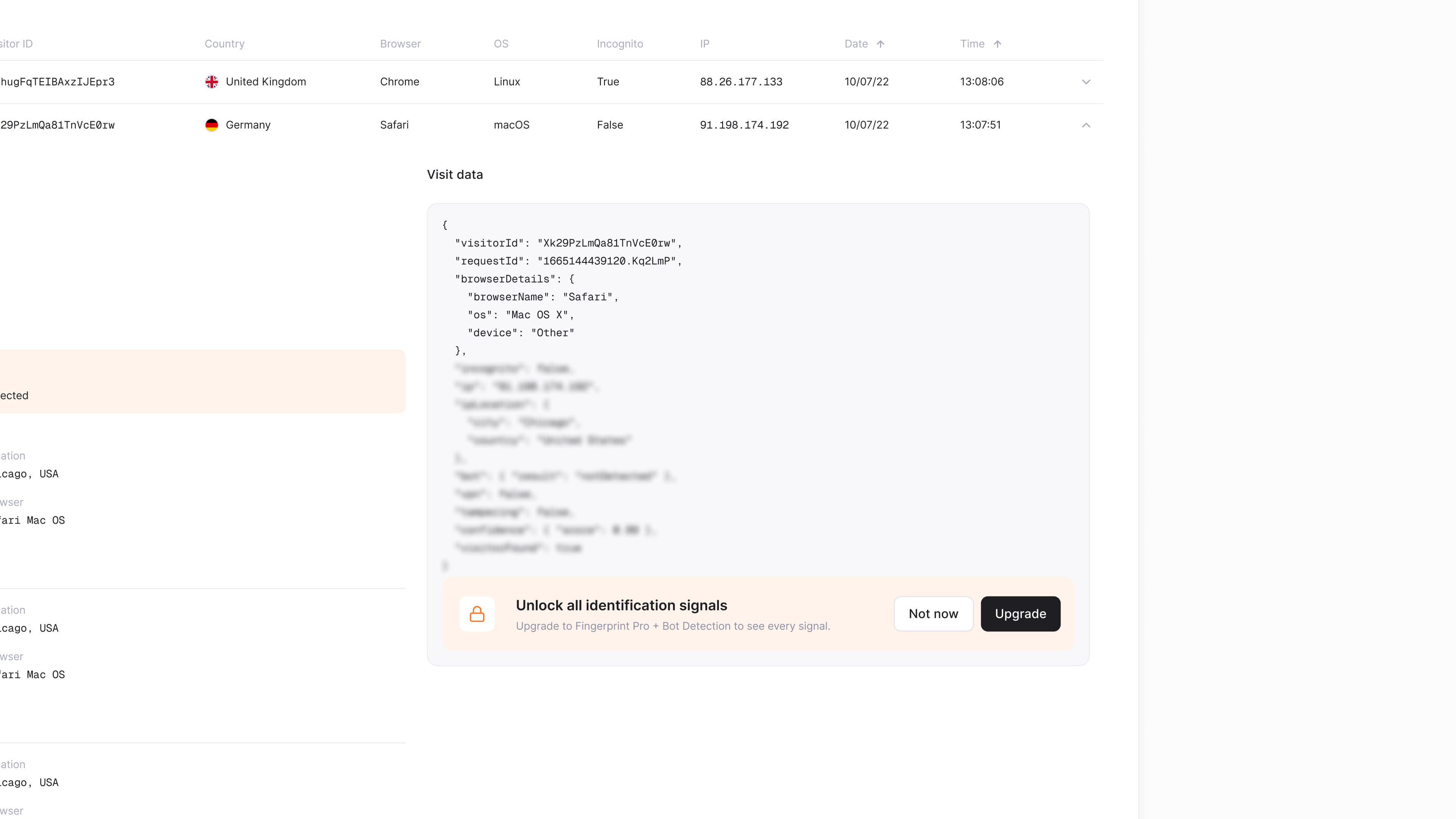
Used visual and paywall mechanics, like blurring specific signal information and upsell banners, to encourage upgrades. Built one comparison view with plan differences highlighted and the current plan clearly marked. Showed a prorated price preview and next invoice date before confirming. Kept cancel easy to find, with pause or downgrade as alternatives. Self-serve for standard plans, "Contact sales" for custom ones.
Brand Identity
I defined the color palette and created visual guides for marketing materials. Those guides became the base for how the brand looks today, and grew into fuller web and product design guidelines developed together with the team. Alongside the guidelines, I redesigned the main website page and its landing pages, and designed landing pages for special projects, so the identity stayed consistent across every marketing touchpoint.
Figures shown are illustrative, not actual company data. Exact numbers are confidential under NDA.